Expanded Agents Ecosystem: Fleet Intelligence that Acts for Safety and Operations
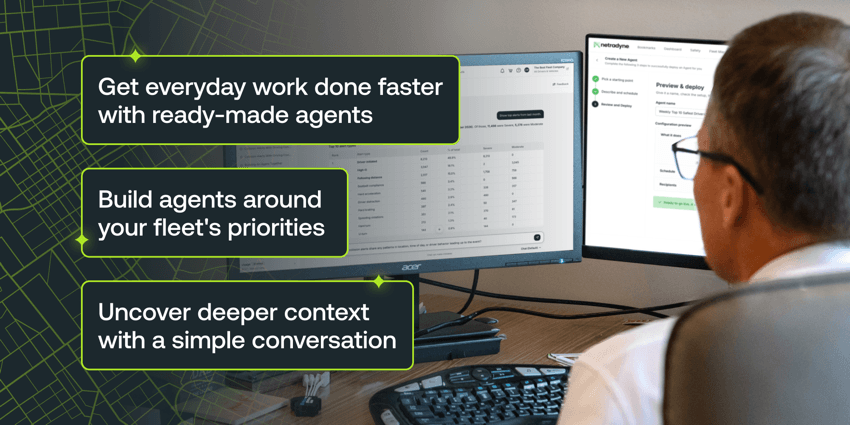
Fleet managers have risks to address, drivers to recognize, and vehicles to keep moving. Too much of that work starts with manually pulling reports, adjusting filters, and piecing together answers, only to repeat the process next week. That leaves less time to act on what matters.
Netradyne’s expanded agent ecosystem helps teams reclaim that time. Managers can use ready-made agents, build agents around their priorities, or explore questions through conversation, then schedule useful analysis to stay informed as new insights are gleaned.

Make everyday fleet work more productive
Coaching, collision management, and driver competitions take ongoing manual coordination. Ready-made agents help teams get started quickly, with the new Campaign Agent joining Coaching Agent and Collision Management Agent to take on that work.
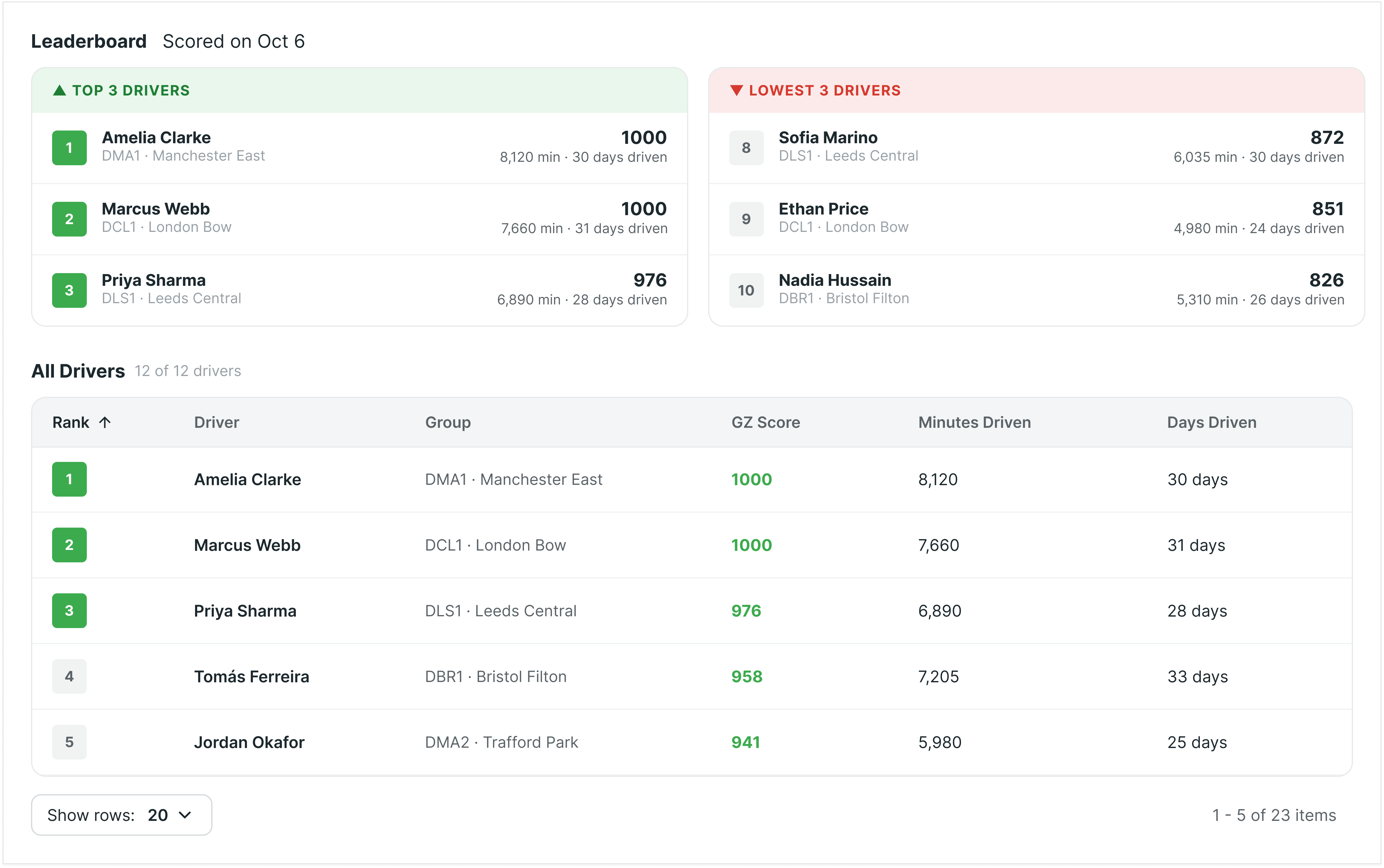
For driver competitions, choose your priorities, groups, timing, and rules. Campaign Agent handles scoring, daily standings, and driver updates. Compare performance before, during, and after each competition to see where drivers are improving and where coaching could help.
Spend less time coordinating and more time recognizing progress and encouraging safer habits.

Build agents around the priorities that matter to your fleet
Every fleet has its own priorities and operating conditions. Getting the right analysis often means manually tailoring reports to specific groups and criteria, then repeating the work week after week.
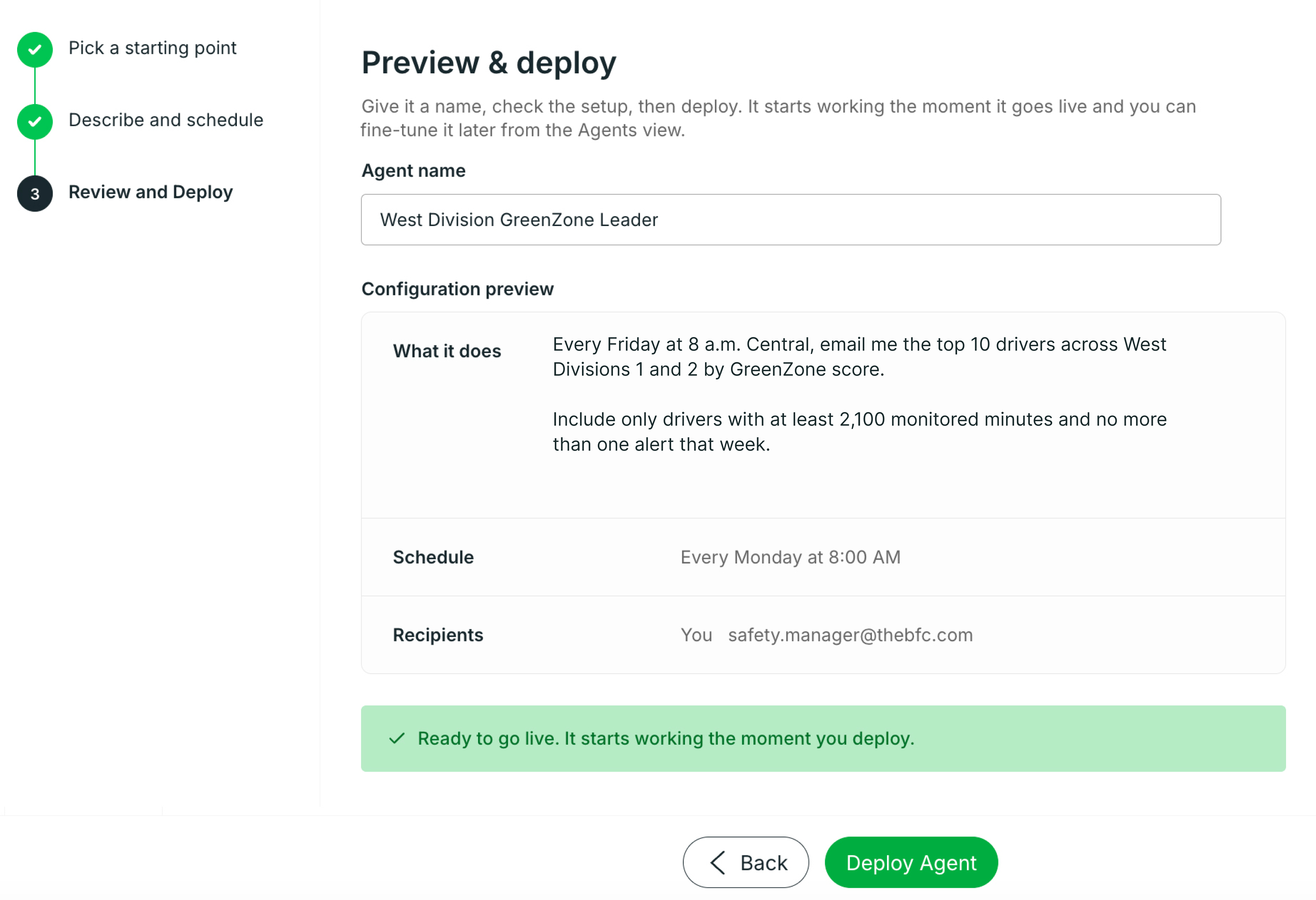
Build an agent around those priorities. Describe the analysis you need in plain language or start with a template, then specify the groups and conditions that matter.
For example:
- Recognize safe driving: “Every Friday, find the top five drivers in each group by GreenZone score, with at least 2,000 monitored minutes and no more than one alert.”
- Prepare for fuel coaching: “Send a weekly coaching pack for my groups with fuel-efficiency trends, drivers to review, and talking points.”
- Follow up on defects: “Check daily for vehicles in service with open defects in our West region and summarize what needs attention.”
- Track device rollout: “Report weekly on devices awaiting vehicle association, including days pending, last reported time, and last-known location.”
Receive updated findings and recommendations in the portal or by email, on your schedule. Put them to work without rebuilding the analysis each week.
Get answers when decisions can’t wait
When safety alerts rise or a vehicle issue needs attention, managers need answers quickly. But knowing where to start, or which questions to ask next, isn’t always obvious.
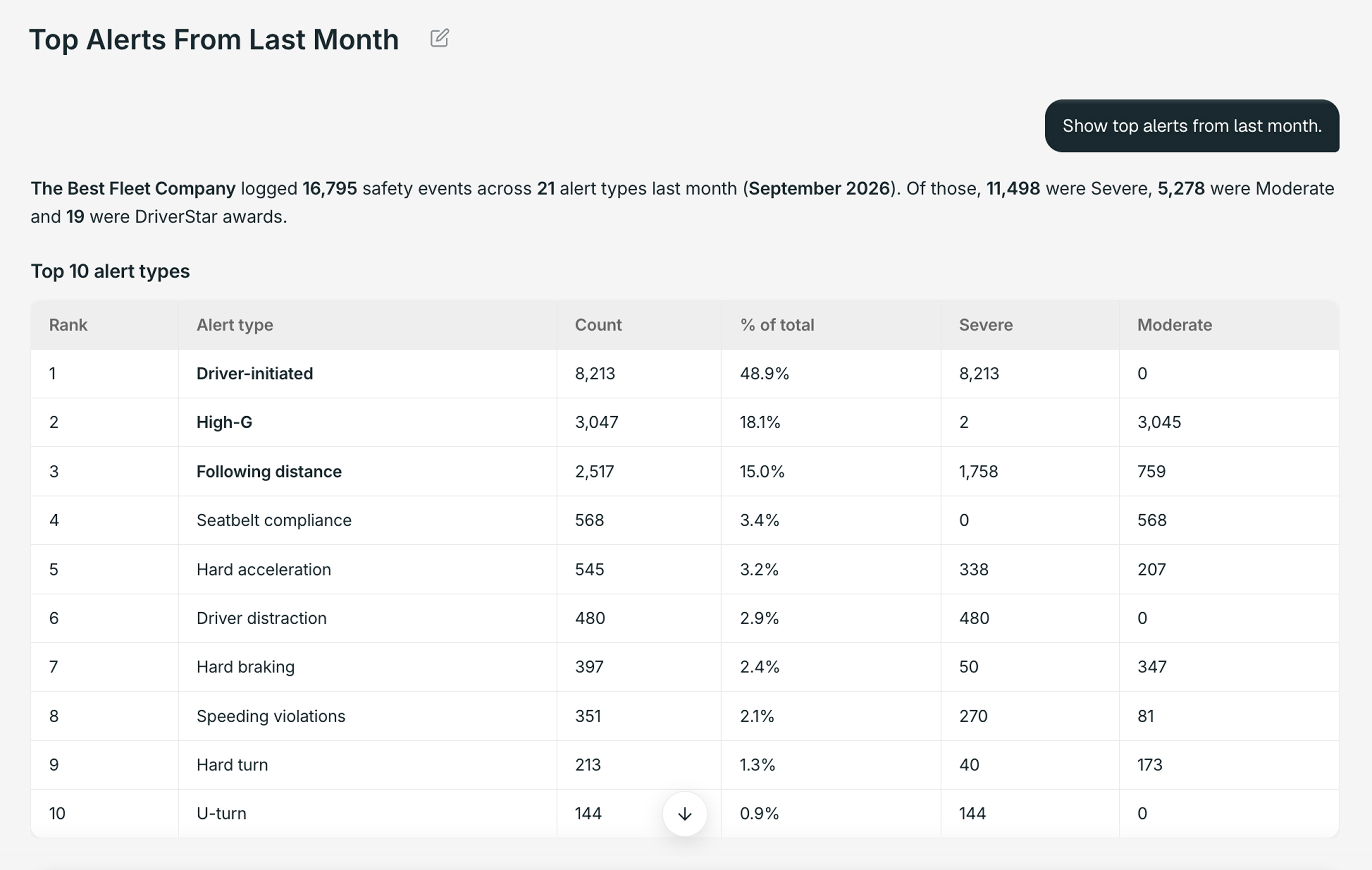
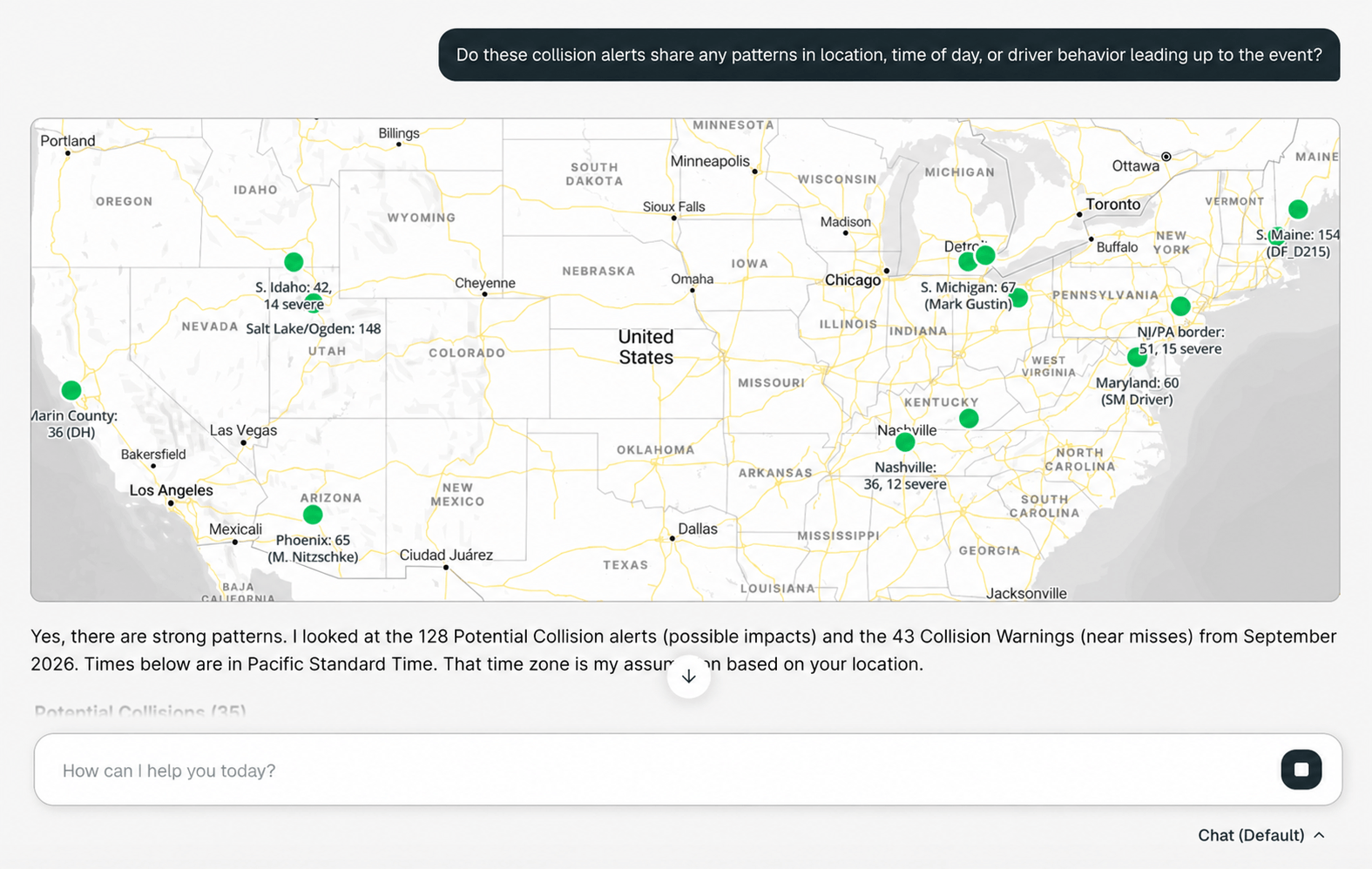
Start with a question about your live fleet data, then follow up to understand what changed and why. Bring in what you know about your operation to refine the answers and uncover patterns worth exploring.
For example:
- “Which drivers’ GreenZone scores declined most this week, and which behaviors contributed?”
- “Do those behaviors share patterns by location or time of day?”
When you find analysis worth repeating, turn it into an agent that runs on your schedule, delivering ongoing insights without starting over.

Access fleet intelligence where your team already works
Fleet questions come up wherever teams work. The Netradyne MCP connector brings authorized live fleet data into AI tools such as ChatGPT and Claude, so teams can ask questions and build agents in familiar tools with less copying and exporting.
Start with one fleet priority
Choose one priority slowed by manual work. Start with a ready-made agent, build one around your fleet’s needs, or begin with a question. Your team decides what to explore, what to automate, and when it runs.
The expanded agent ecosystem is available now to direct Netradyne customers in the United States and Canada. Contact your Netradyne representative to get started, or visit booth #24077 at ATA MCE ’26 to see it in action.


Wilt u chauffeurs beschermen en de kosten verlagen?
Dat is geen moeilijke vraag. Overtuig uzelf met een demo.
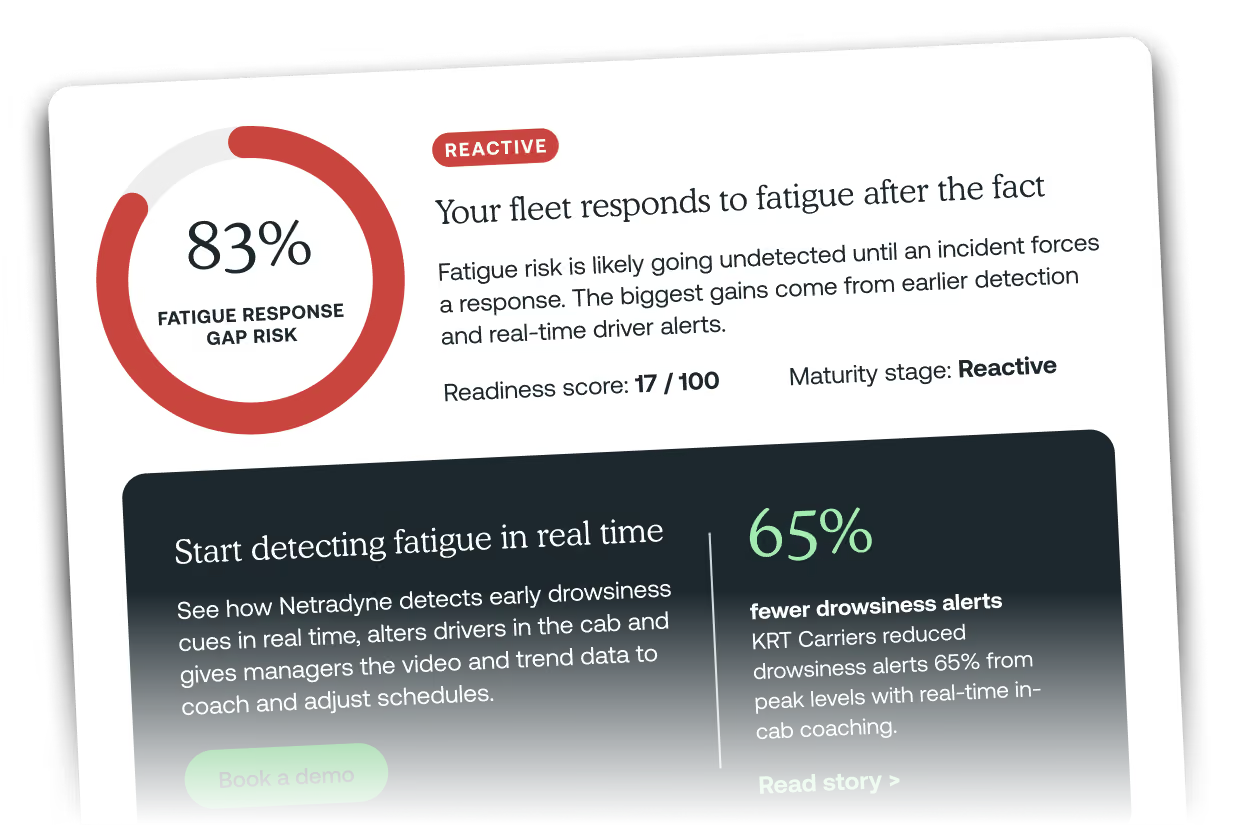
How ready is your fleet to respond to fatigued drivers?